Nexora Labs · 3ds Max Plugin · v0.2.0 · In development
Render in V-Ray.
Finish with AI.
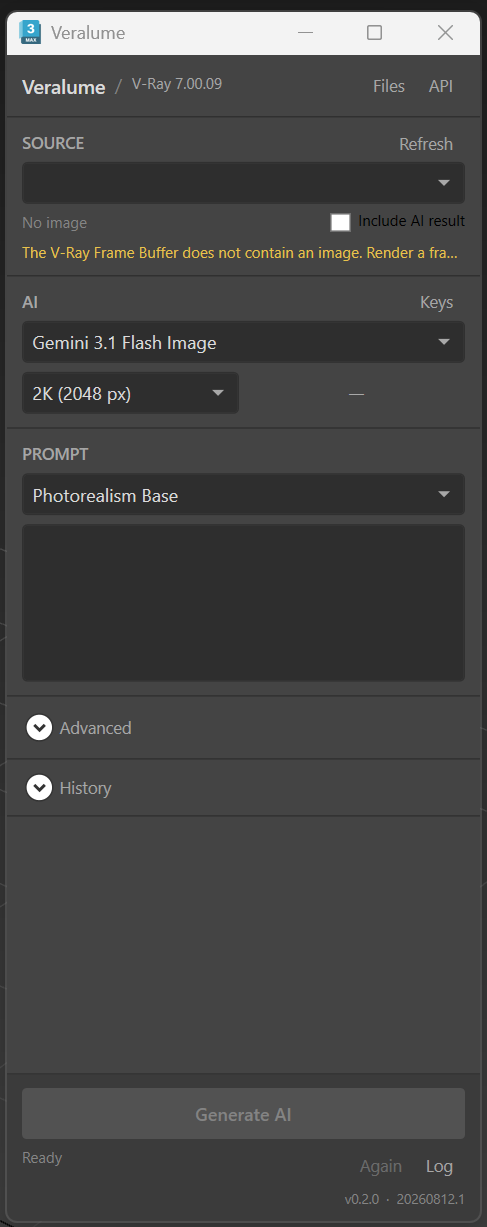
Veralume connects your V-Ray render directly to modern AI image models. Export, prompt, generate, compare and reload — the whole loop happens inside 3ds Max instead of across Photoshop, browser tools and folders.
Get in touch →Windows 11 · 3ds Max 2025–2026 · V-Ray
What it does
The AI enhancement loop, without leaving 3ds Max.
Straight from the frame buffer
Uses the image you actually see in the V-Ray Frame Buffer — your layer stack, corrections and denoising included — with RGB and Raw Diffuse as optional sources.
Back into VFB as a layer
The result returns as a single “AI Result” layer, so you compare and blend it with opacity using the tools you already use.
Architectural presets
Start from presets like Photorealism Base, add your own prompt, and control how much of the original render is preserved.
Three providers, one panel
Google Gemini, OpenAI and kie.ai image models behind one model list, with output up to 2K and the original aspect ratio preserved.
Every result kept
Each generation is saved with the exact input image and its settings, in a searchable history you can swap back into VFB at any time.
Clear about privacy
Keys live in Windows Credential Manager, and the panel tells you how each provider receives your image before you generate.
FAQ
Questions, answered.
What do I need to run it?
Windows 11, 3ds Max 2025 or 2026, V-Ray, and your own API key for Google Gemini, OpenAI or kie.ai. Veralume never resells AI usage — you are billed directly by the provider you choose.
Does it change my 3D scene?
No. Veralume is a post-render tool: it works on the rendered image only. Anything the AI adds exists in the image, never in the scene.
Will it overwrite my previous AI result?
By default it excludes its own AI Result layer when capturing the frame buffer and restores your exact layer stack afterwards. You can opt in to AI-on-AI iterations with “Include AI result”.
Does it support Corona?
Not yet. The current build is V-Ray only; Corona, masking and batch processing are planned after the core workflow is finished.